
This router doesn’t pretend to be anything – it’s just good. TP-Link Archer BE400 test
I like equipment without nonsense. One that doesn’t pretend to be anything, doesn’t have any over-complicated story attached to it, or tries to attract attention with its flashy appearance. You know, equipment that does what it’s supposed to do and, best of all, if it does it well.
And at first glance it is such a device TP-Link Archer BE400. A simple, dual-band router WiFi 7 with a coarse appearance like a Volkswagen from the end of the last century. Let’s add that you can have it now approx. PLN 580, and it has a large range of advanced functions on board and it starts to sound like a dream come true for more pragmatic users. But how does this dream compare to reality?
Appearance and workmanship
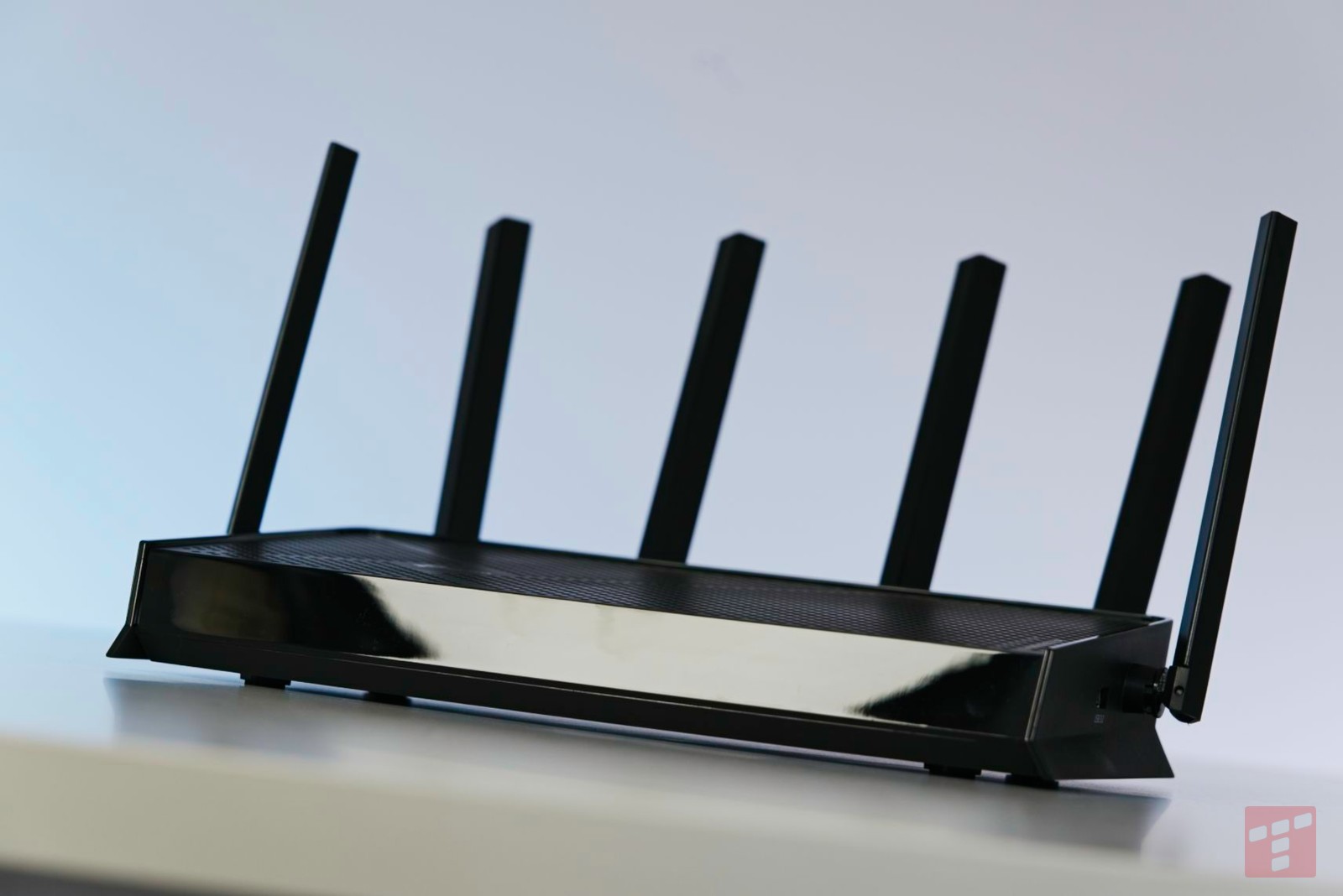
There is no denying that the TP-Link Archer BE400 looks pretty spartan. It may not be pretty – certainly not in the sense that my wife would use the word – but personally I find its pragmatic design a nice change from gaming Christmas trees and designer meshes, that I had the opportunity to test recently.

The undoubted advantage of the tested model is that there is no piece of unnecessary plastic. The casing is there very slim, and perforated at the top and bottom, which ensures decent ventilation of components without the need to use additional fans. The antennas are “bare”, i.e. each of them is a separate element and is not enclosed, as in most gaming models. This may not be particularly aesthetic, but it gives additional flexibility when setting up the router, because we can manually change the setting of each of them.

Speaking of which, it is worth mentioning that the bottom of the TP-Link Archer BE400 not only has rubberized feet, thanks to which it stands stably on the countertop, but also hooks allowing you to hang it vertically. This is one of many tributes to more advanced users.

Another one is the local diodes LEDof which we have as many as seven. They are used to indicate the status of the device, connection and operation of individual functions. Each of them is marked with a clear icon, making it easy to understand what is happening with the device without having to turn on the panel every time. Moreover, considering such an extensive information panel, it looks quite subtle and is not distracting in any way during everyday use. And even if it is, there is nothing stopping you from turning off the LEDs completely from the application level or setting them to go off according to a schedule.

When it comes to the available connectors, there are no major excesses here. Nevertheless, for a de facto budget model, the range of available options is large. We’ll find it here single WAN port (2.5 Gbps), four LAN ports (1x 2.5 Gbps, 3x 1 Gbps) and full-size USB-A 3.2. Interesting fact – the latter is the only connector located on the side of the housing. Everything else is at the back and clearly color-coded. Additionally, there are convenient WPS, reset and power buttons.
And the execution? Solid, but without fireworks. The construction is mostly plastic and not necessarily premium. However, the fit of the elements is perfect, and if the router accidentally fell to the ground, it would probably escape unscathed. It is also very light because of its weight approx. 601 g.
Functionality and application
The TP-Link Archer BE400 router can be managed in one of two ways: from a browser or using a mobile application. TP-Link Tether. Functionally, their capabilities are similar, but they differ mainly in the interface. To put it simply, the app is slightly more user-friendly for beginners and relies more on graphic elements, while the web panel mainly uses text and tables, but advanced functions are slightly easier to access.

Regardless of how you plan to control the router, there are a lot of cool attractions waiting for you in the admin panel. Starting with a clearly visualized map of the network and resource use, through the ability to create separate networks for guests and IoT devices, up to additional functions like parental protection or built-in VPN (both as a client and a server). In fact, we can even configure the network meshin which the tested model can take over the role of one of the modules.

This wealth of different tools and configuration options is one of the main advantages of TP-Link hardware, so it’s nice to see that even the inexpensive Archer does not disappoint in this field. With its functionality, the test hero could put to shame many models several times more expensive.
Unfortunately, there is also a spoonful of tar. Some functions – mainly those related to security – require an additional subscription. Moreover, it is not the cheapest one. You have to pay for the Security+ package PLN 29.99 per month or PLN 199.99 per year. This means that every twelve months we would have to pay approximately 1/3 of the price of the device itself to enjoy all the functions. It hurts a bit.
Connection quality in practice
TP-Link Archer BE400 boasts service WiFi 7, although naysayers might say that it is a bit lacking. We only have two bands here: 2.4 and 5 GHz. However, there is no support for the 6 GHz band, which – in theory – makes the biggest difference in the case of the new standard.

However, the specification on paper is not that important, what matters is the real performance. Here for Wi-Fi theoretically, we can achieve a throughput of 6.5 Gbps – this is the value declared by the manufacturer. This is, of course, a purely theoretical ceiling. In practice, the results will be lower, although they are still very good. In optimal conditions during the test with the iPhone 17 Pro Max, I had no problem getting 930 Mbps when downloading data and 297 Mbps when sending, thus using the full bandwidth of my optical fiber.

At the other end of the apartment, two rooms away and with the obstacle of reinforced walls, I still managed to pull myself out approx. 300 Mbps when downloading and uploading. Considering the price of the equipment, I think this is a good result. TP-Link Archer BE400 is a clear upgrade to most routers offered by Internet providers and will work well in apartments with difficult room layouts. And even if it is not enough, you can always build a mesh network on its basis.
Summary
TP-Link Archer BE400 doesn’t pretend to be anything because it doesn’t have to – he’s just so good. This is an excellent option for slightly more advanced home users who are looking for something more than the default router from their Internet provider, but do not want to spend a fortune. Here you will find excellent parameters, extensive functionality and quite convenient management options. And if you think in these categories, you will probably also like its simple, unpretentious design.

I think that for about PLN 580 it is difficult to find equipment that would clearly outperform the test hero. From my side, this is a recommendation with almost no hesitation.
-
Attractive price
-
Very good quality of the wireless connection
-
Extensive configuration functions
-
Built-in VPN and parental controls
-
Convenient management from a web browser or application
Test equipment provided by the manufacturer


